Amazon is the Devil: A guide to Kindle alternatives
Published April 22nd, 2026 by Emily
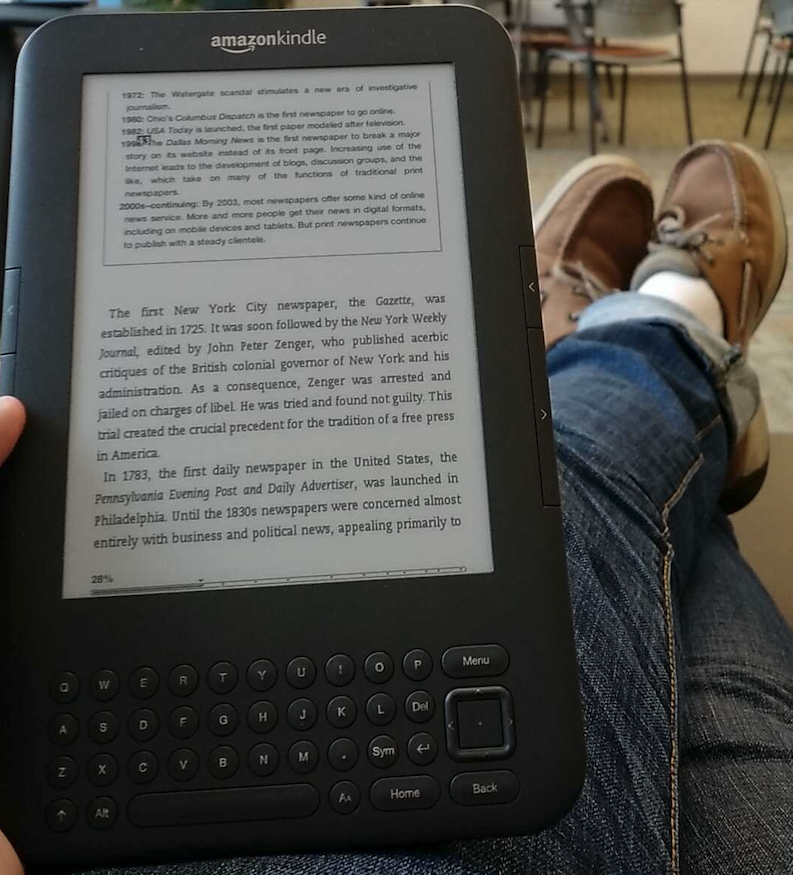
I, personally, love my Kindle Oasis. I've probably owned five different new and used Kindle Paperwhites and Basics over the years and finally decided to upgrade to a used Oasis for the dedicated page turn buttons and all-metal chassis. It feels like a huge upgrade, but I hate the software.
I hate that Amazon is logging every book that I read, and how many pages I read (and then doesn't even have a feature that lets ME see that information). I hate that if I purchase a book and Amazon is making a TV series out of it, they change the cover. I hate that they removed the feature for me to export the books that I purchased! I hate that sometimes when I borrow a book from the library, I can't read it on my Kindle for reasons having to do with DRM. I hate that if I have the physical copy of a book, I don't automatically get the electronic copy, too!
(Hardcover books are for supporting the author and looking pretty on your shelf, not for actual reading, in my unpopular opinion.)
So I started looking into alternatives. I fell in love with a palm-sized e-reader called the Xteink X4 and watched a video called "It's Time To Break Up With Amazon" by Dammitjeff and my eyes were opened to what else is possible. I jailbroke my Kindle and never looked back.
Welcome to the dark side
For this article I'm mostly going to focus on devices that are under $150 and 7" or less, with some exceptions.
One of the reasons Kindles are so popular is that their hardware is pretty much unmatched. They can afford to use higher quality materials because they know they'll make that money back with the dollars that you spend on books with Amazon.
Just because you want an e-reader that isn't phoning home to our corporate overlords every five minutes doesn't mean you have to compromise on the hardware.
Jailbreaking the Kindle you already own
The Kindle jailbreaking community releases their jailbreaks on kindlemodding.org. Unfortunately, jailbreaks only come out every few months. Amazon patches them pretty quickly, and because the vulnerabilities they use for jailbreaks actually do make millions of Kindle devices vulnerable to bad guys, the security researchers who find the vulnerabilities have worked with Amazon in recent years so they can patch the exploit before the vulnerability is announced (and possibly collect a bug bounty, but that's just my conspiracy theory).
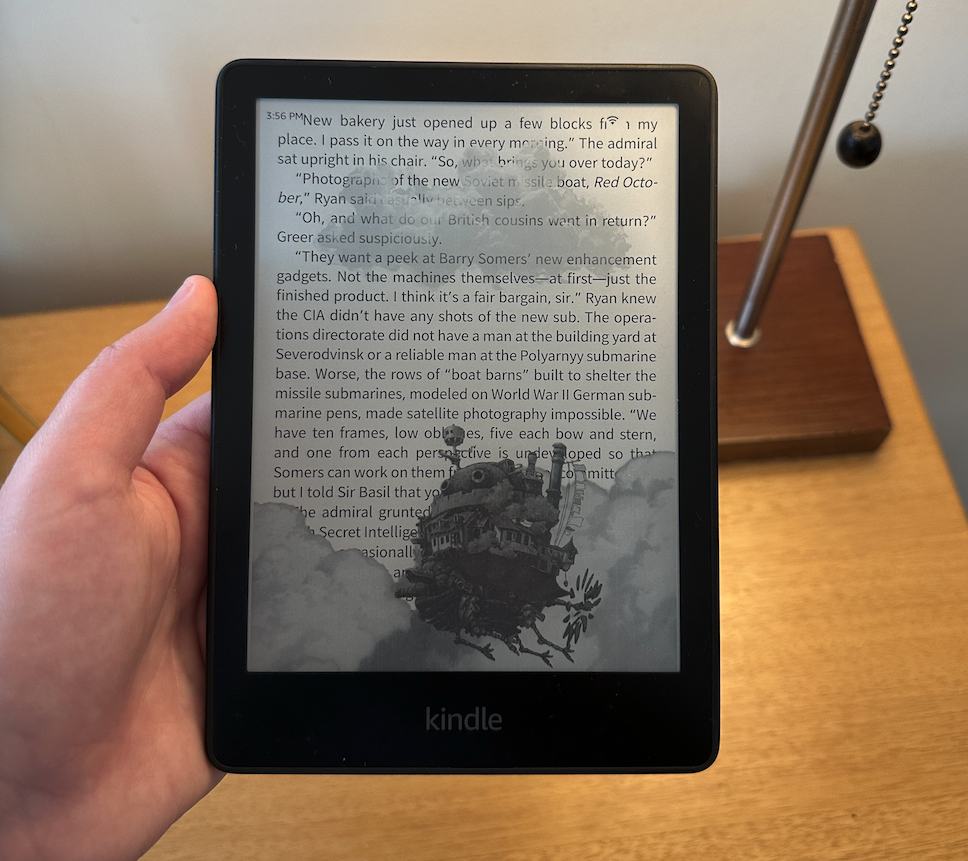
This means there's usually only a small window of time between you hearing that there's a new jailbreak available and your Kindle automatically updating to the new software version.
You can combat this by leaving your Kindle on airplane mode almost all the time. If you want to download a new book, check to make sure there's no jailbreak released yet before you connect it to the internet. You can also sometimes get lucky (like I did) by buying a used Kindle from someone who has kept it powered off in a drawer for a few years.
Jailbreaks will install a new application on your Kindle that looks like a book called KUAL (Kindle Unified Application Launcher). The Kindle will technically always boot onto the default Kindle home screen, but who powers off their Kindle after they're done reading?
For most people, they will read with alternative reader like KOReader, lock their screen when they're done, and when they unlock it'll return them right to KOReader.
You will only be able to read synced library books with the native Kindle reader application. However, the good news is, since jailbreaking your Kindle only adds an extra application to your home screen, none of the default Kindle features are interrupted and library book reading can continue!
Kindles also have a nasty habit of updating automatically without any human intervention. One way to prevent this is to fill your Kindle with filler files until there's less than 500 MB of free space available. After you've jailbroken your Kindle you can disable OTA updates with a plugin called "Rename OTA binaries". This makes it so the automatic process that downloads the new firmware updates can't find the location they're supposed to download them.
KOReader
KOReader is an open-source, alternative e-reader application that can be installed on tons of devices: e-readers, tablets, phones, computers, even handheld gaming devices. The application is packed full of features - if you can dream it, KOReader can probably do it - but out of the box its UI isn't the most pretty and its documentation can be pretty dense.
I enjoy all the features that KOReader has to offer and after some very small tweaks that I learned about from the KOReader subreddit (mostly locking it to a single directory where all my books are) I don't feel like it's any uglier than the stock Kindle experience.
However, take a quick glance at the KOReader subreddit and you'll see that you can make KOReader gorgeous and if tweaking is your thing, you will really enjoy all the customizations that KOReader has to offer.
My favorite features of KOReader are:
- custom lock screens
- being able to set up your own Cloud Storage for transferring books (I use Joshua Rodrigues' Bookodav project to set up my own free Cloudflare repository but this can also be self-hosted)
- being able to sync progress between KOReader devices (and sometimes others!)
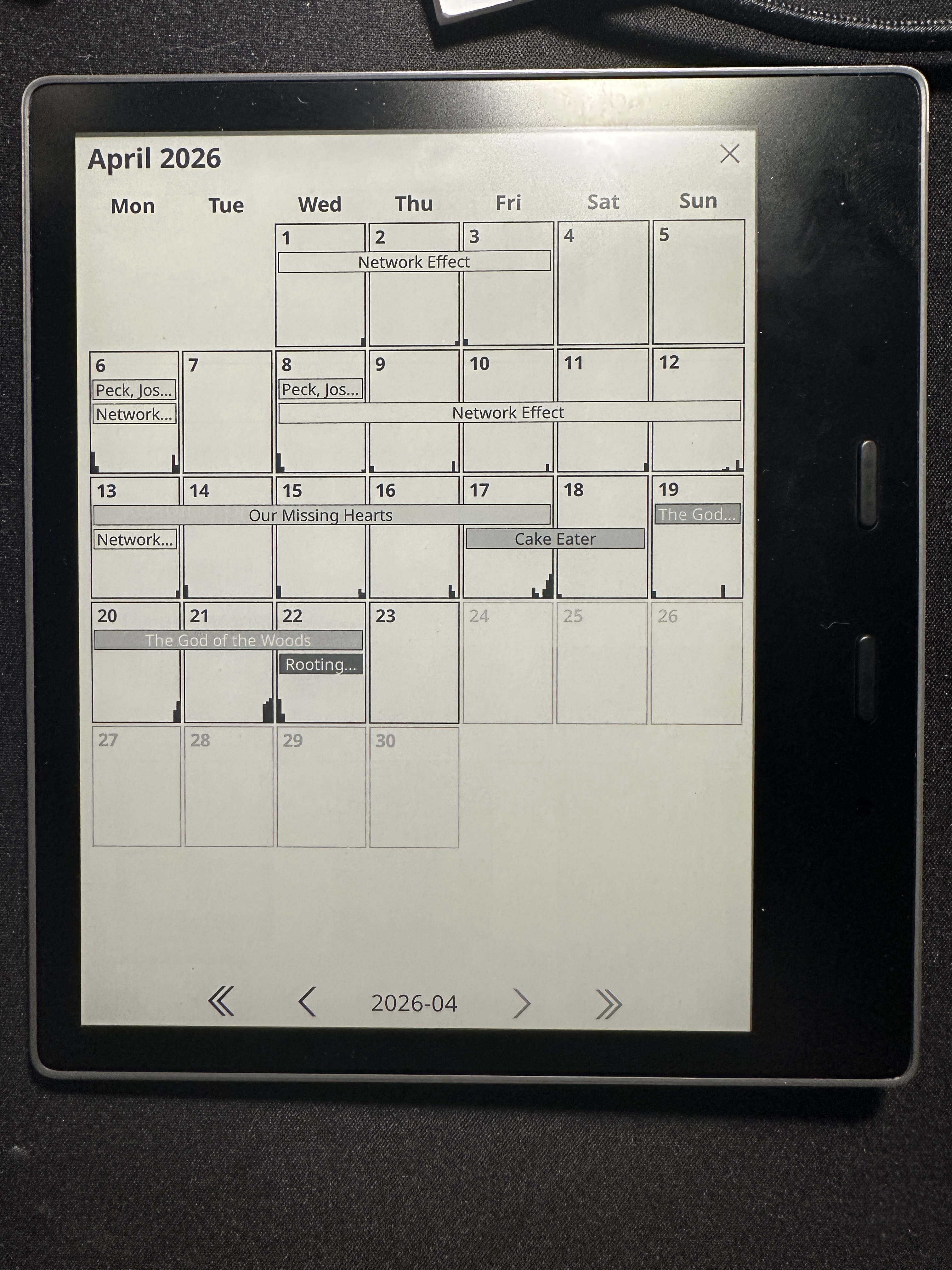
- detailed reading statistics
KOReader on other hardware
There is plenty of other e-reader hardware out there besides just Kindles.
The Kobo line of e-readers, now owned by Rakuten, are more open than Kindles and allow you to sideload KOReader onto them. The process isn't as simple as installing an app on your phone, but at least you don't have to wait for months for a jailbreak to become available.
Did you know Barnes and Noble's Nook still exists? I didn't. Apparently you can install KOReader onto the most recent Nook Glowlight 4 by using ADB. I haven't tried it, but it's worth a shot.
I've installed on KOReader on my Supernote tablet, and other e-ink writing tablets like Remarkable also support it.
Any tablet that runs Android should have no problem running KOReader but it is not available for iOS.
Other Open-Source Software
Here are some other options that I'm going to research and write more about later:
Xteink
When you think of an e-reader you probably think of a device with a 7" e-paper screen. In recent years, smaller e-paper devices become quite popular. Boox and Hisense have come out with phone-sized devices with e-paper screens that appeal to those who want their phone to encourage them to use it less. These devices are also great for being a pocketable e-reader - they run Android so you can install the Kindle app, your library app, or KOReader - but they're expensive, usually around $300.
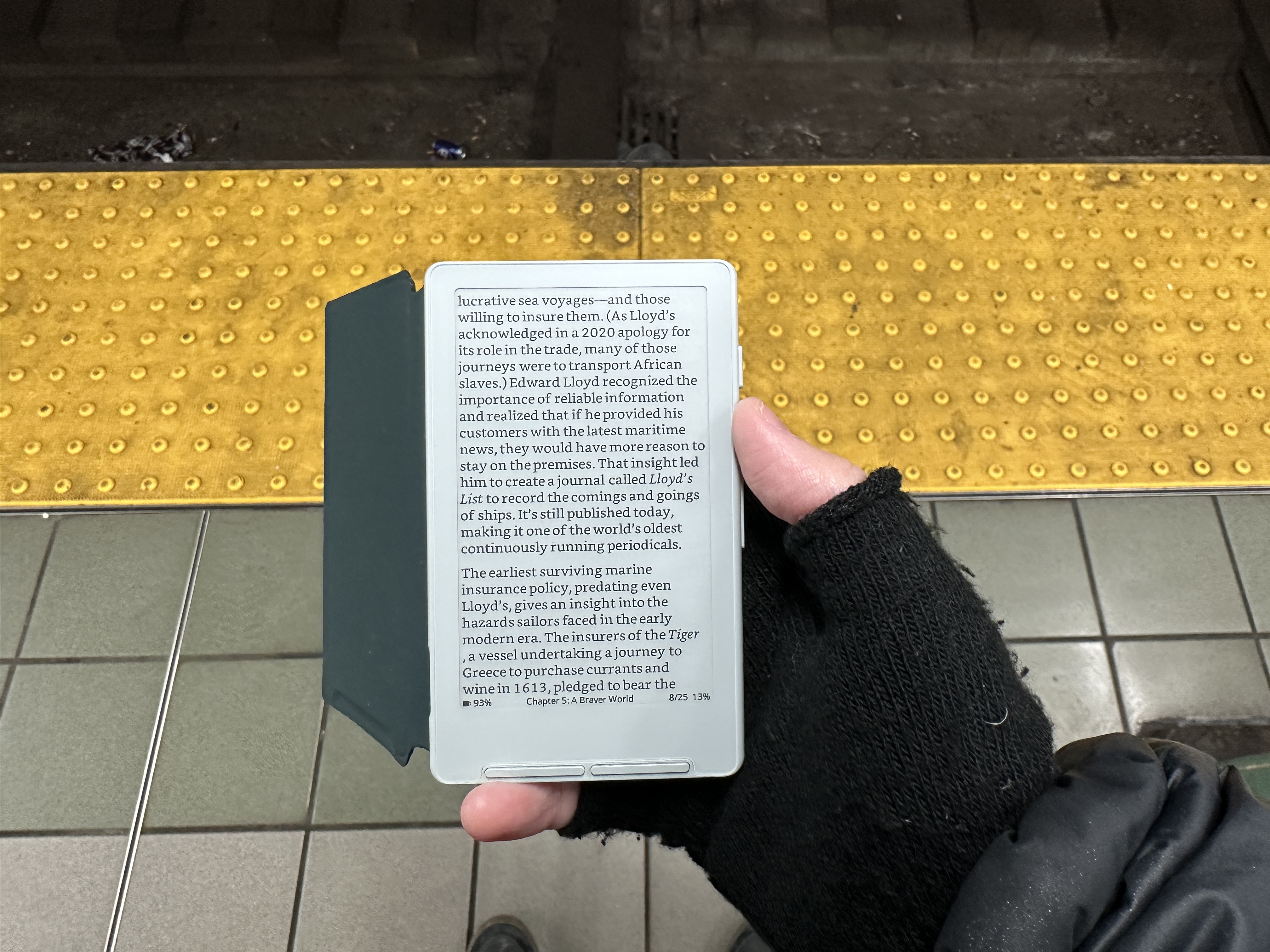
In 2025 a company called Xteink came out with the X4, a tiny device with a 4.3" display that's main marketing feature was that you could magsafe it to the back of your phone and whenever you felt the urge to scroll, you could turn your phone over and read instead.
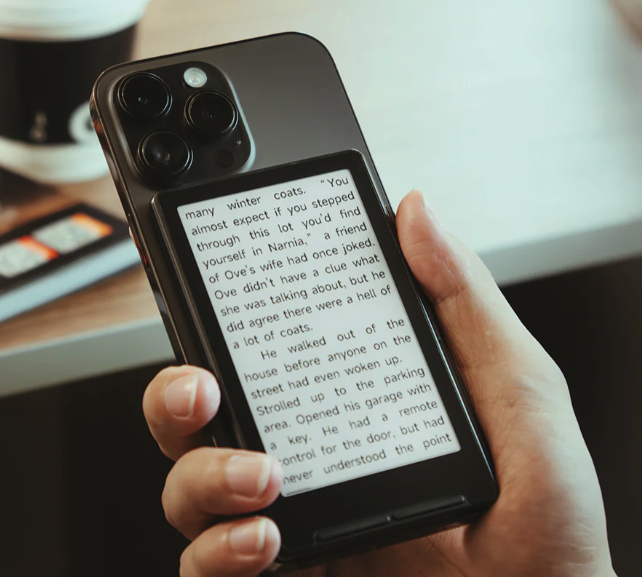
Its popularity exploded over the holidays and this $70 devices made its way into hundreds of hands. It turns out that the magsafe trick only works with certain XL generations of iPhones, but people ended up loving the device anyway. The battery life is comparable to a standard e-reader (weeks to months) and it's super pocketable.
It comes with a version of firmware from the Chinese manufacturer that... leaves a lot to be desired. The Chinese version is probably great, but the English version looks pretty bad from a UI standpoint. The fonts were not optimized for English and there's a lot of formatting issues with books. It is worth noting that even if you use the OEM closed-source firmware that comes on the device, the device can't be phoning home all the time because it is simply not powerful enough to be constantly connected to the internet.
Open-source, alternative firmwares cropped up only a few months after this device was released to the US market and Crosspoint quickly became the favorite. It's easy to flash the firmware on the website and it introduces some crucial features. My favorites are:
- Being able to sync reading progress with KOReader
- Over-the-air updates
- Many more customization options for font and themes than the original firmware
I thought that its small size would be a problem. I read pretty fast and turn pages a lot even on my Kindle. But pages turn so fast because the device's screen is so small that it's a non-issue. I can read for at least two hours on this tiny device before my hands start to feel a little cramped.
And because it's with me everywhere I go, I read so much more than I did before. When waiting for the bus that I expect to come any minute (and then stretches into ten or fifteen) I went through the effort of unzipping my backpack to get my Kindle out. But when this is in my pocket I can whip it out just as easily as I can my phone and keep reading my book. Then, when I'm back home, I can sync my progress to my jailbroken Oasis and catch up from the same spot.
Sorry if I sound like I'm trying to pitch you on this device. I want to make sure that you give small e-readers a chance. For a while I discounted many open-source e-readers because I thought they were too small. But now that I've tried one, I've realized they are a great companion device. If you like having a book with you everywhere, this and some others I'll outline below are viable options.
The company has more recently come out with a smaller version called the X3 (which Crosspoint also supports) and is apparently working on an X4-sized device with a stripped-down Android version, the S4 (which will run KOReader).
The Open Book Project
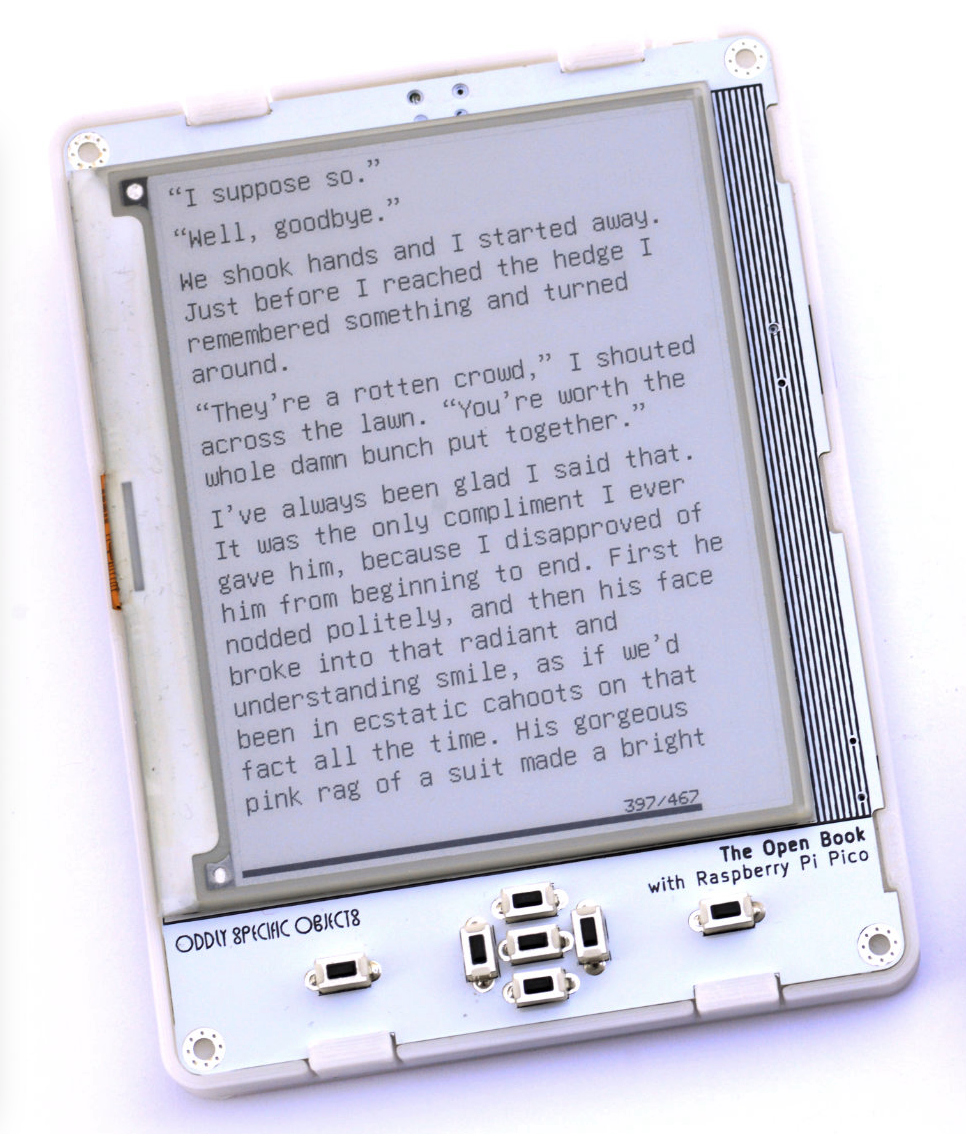
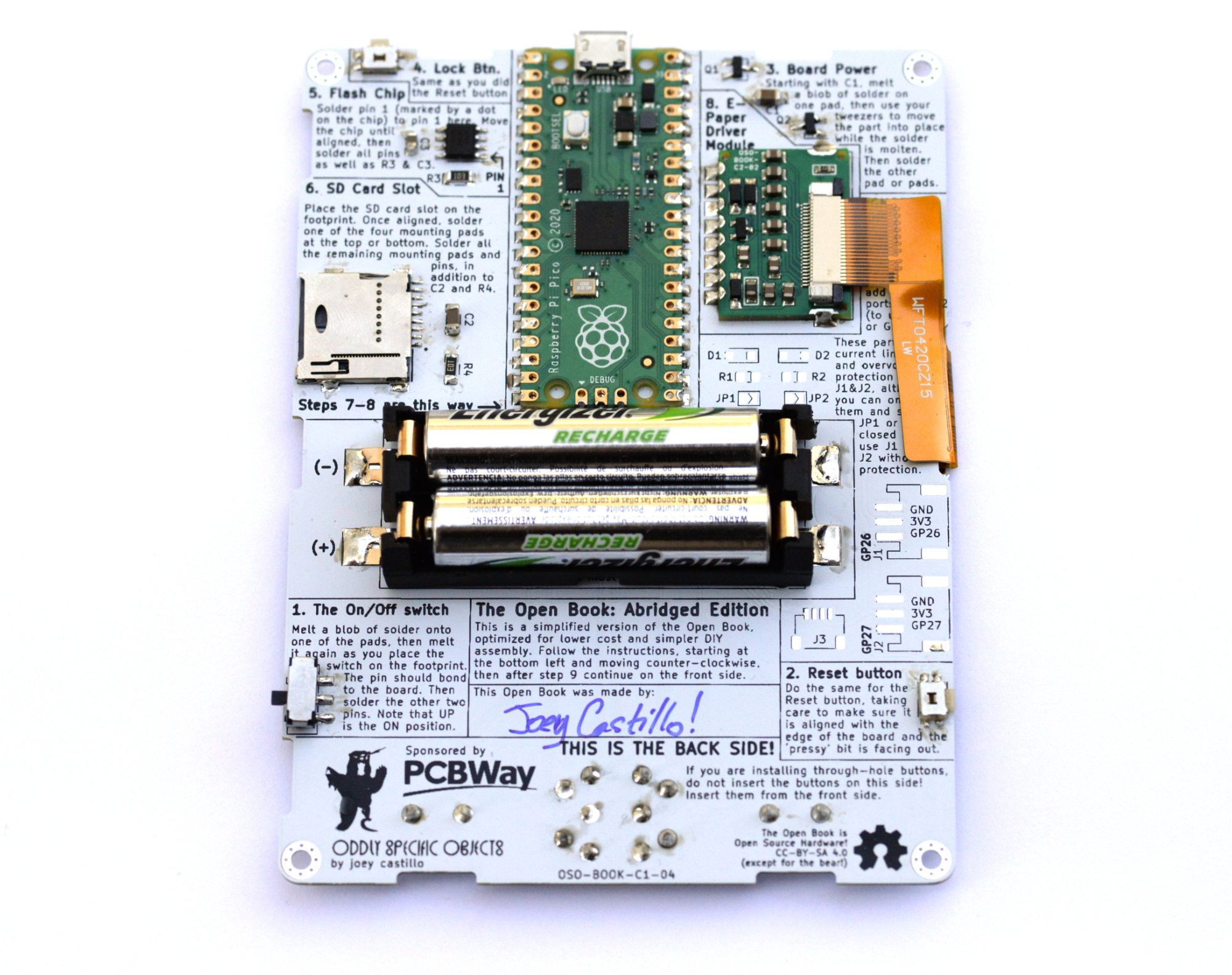
One of the first entirely open-source e-readers that caught my eye was Joey Castillo's Open Book project. Using his custom PCB you could order the parts and solder it together yourself. He even left a spot where you could sign your name! Unfortunately, by the time I saw it some crucial parts required to make it were unavailable and he wasn't interested in updating the old version. As of 2025 it's no longer possible to make.
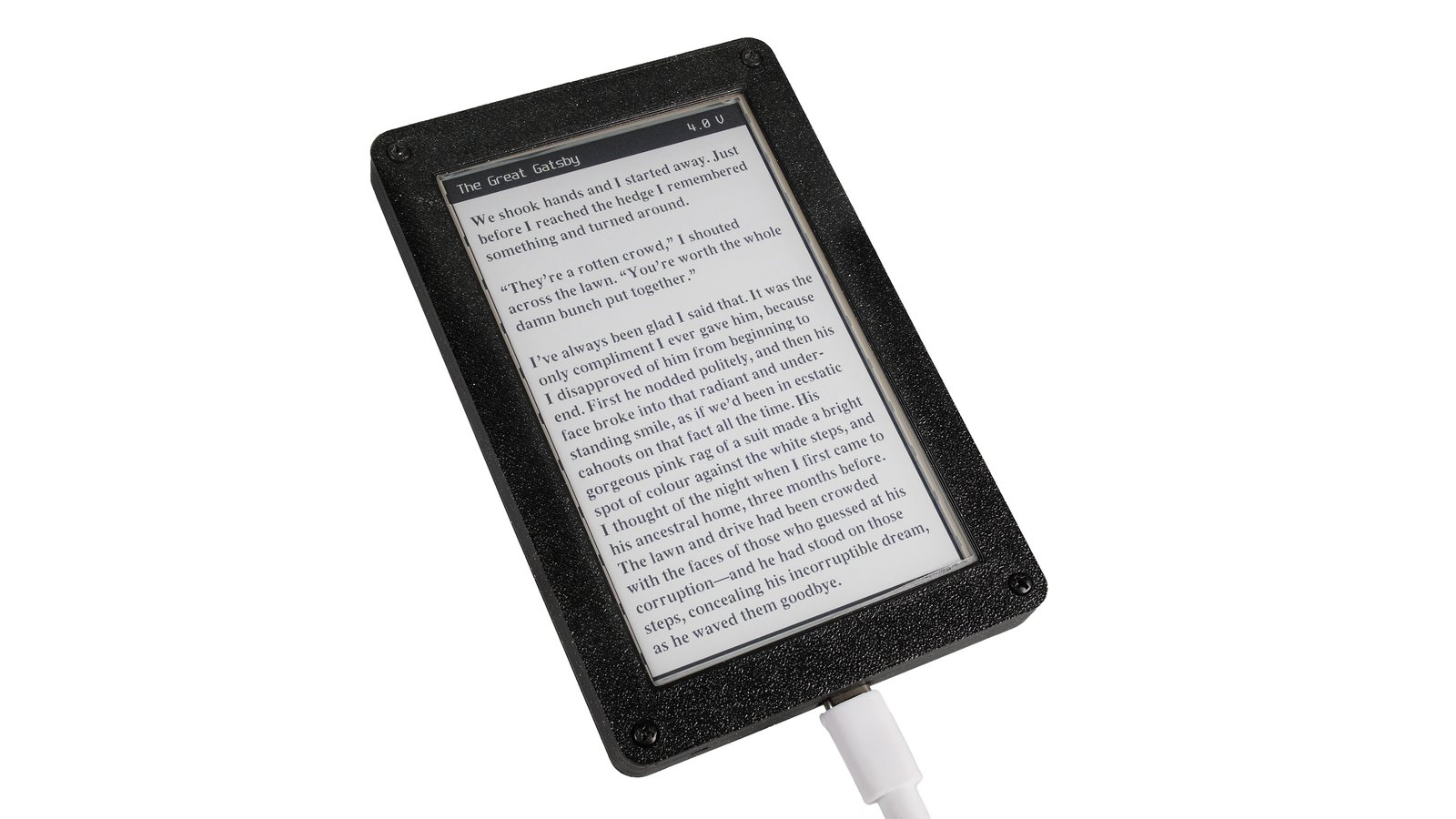
This past year he announced a new version called Open Book Touch. This time it runs on an ESP32 rather than a Pi Zero and it does away with all buttons in favor of a touch screen. It runs a custom firmware he called "Focus" and the entire SDK will be released to the public. He will be launching a kit on Crowd Supply sometime soon.
Like Joey's other projects, I don't expect this to be maintained by him for long. So unless it's a big hit in the open-source community and others keep supporting it, this may become obsolete a few years after it's sold. The reception of it was also not as enthusiastic as his previous version, mostly due to the lack of buttons. What he sees as a selling point, others see as a loss of a major feature they were looking for.
Pala One
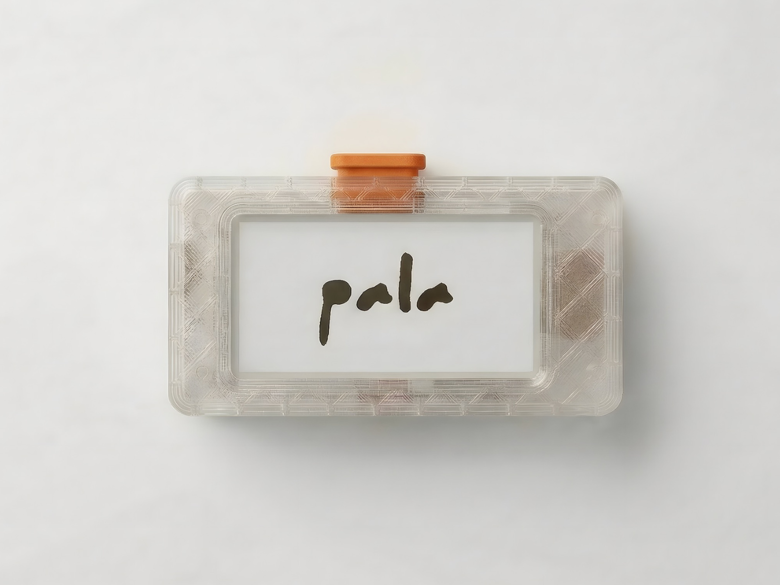
This adorable e-reader is YouTuber Paul Lagier's Pocket E-Reader. It can be entirely 3D printed at home. It's on its second version of both the hardware and the software. The screen is the smallest one on this list and it only has one button.
The step-by-step instructions are available to purchase from him for five euros and the bill of materials comes out to $37+shipping. There's no guarantees on the long term sustainability of this project, but it is such an interesting form factor that I had to mention it. More information can be found in this YouTube video.
Please note that he calls it open-source, but it doesn't appear that his firmware is available publicaly on Github for changes to be made to it.
Diptyx E-Reader
I said I was going to focus on devices that were $150 but I think this one is weird enough that its $250 price tag gets a pass.
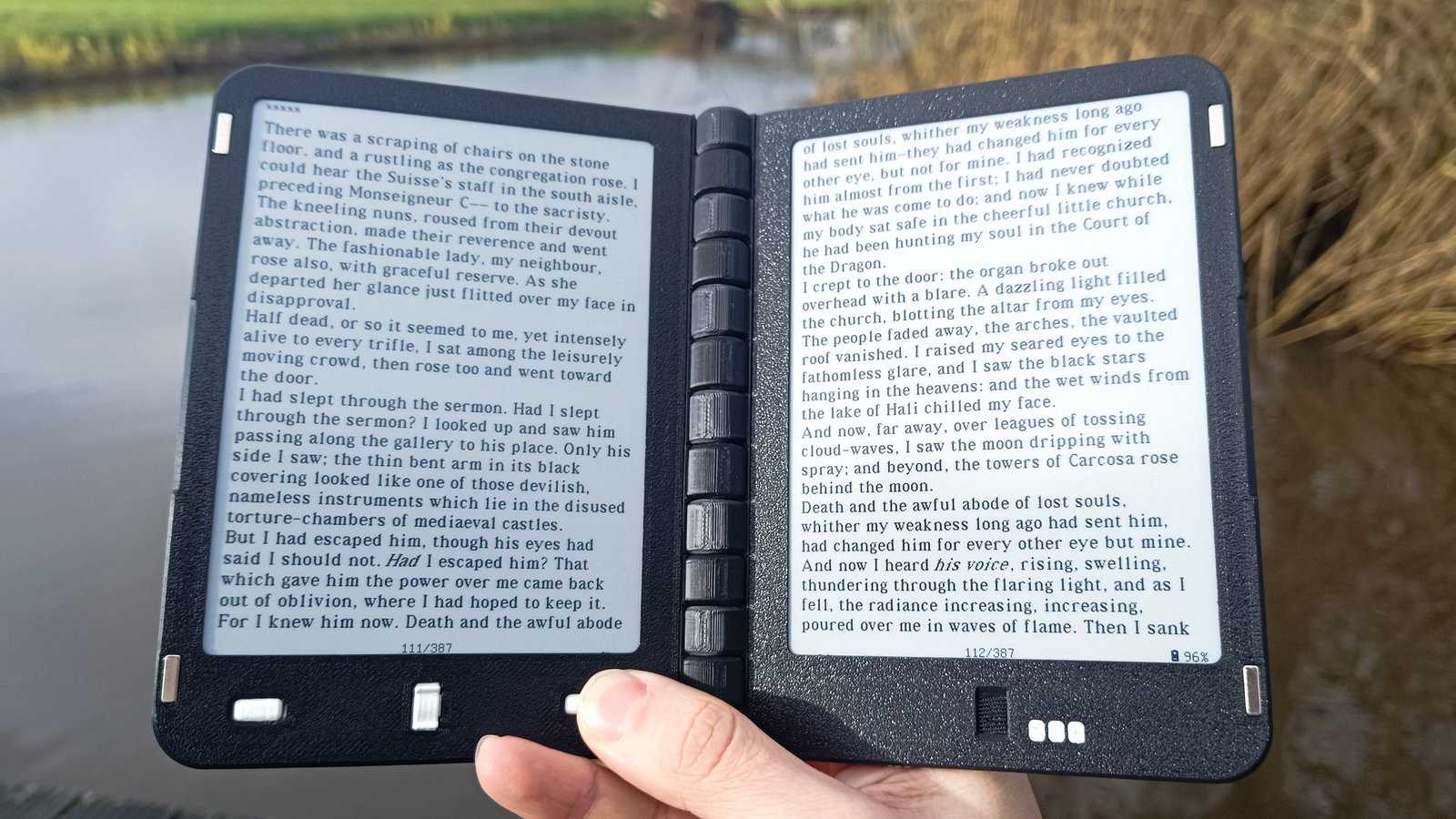
Have you ever wished your Kindle looked more like a book? A lot of people have, but not like this. With two 5.82" e-ink screens this e-reader folds like no e-reader ever has before.
It was originally posted to Reddit as a "look at this cool thing I made" and has now turned into an actual kit you can purchase on Crowd Supply (God bless that website and all the weird and cool things on it).
It features custom firmware by the author (because no open-source e-reader application has thought to support two screens yet) which looks from the few pictures available to not be the most aesthetically pleasing UI experience. However, we will have to see what improvements are made by the community after it's released (hopefully) in Sept 2026.
Make your own
As someone who has more Waveshare e-paper screens displayed around their house than average I feel very qualified to say: e-paper screens are expensive! There's a good reason that a lot of DIY e-readers are very small. I can buy a good-as-new used Kindle on Facebook marketplace for the same price as one 7.5" e-ink screen.
Amazon and Rakuten can get away with buying screens in bulk, or getting them manufactured custom to reduce cost, but we as consumers can't. If you don't want to be this guy, there are still some options as long as you're willing to compromise on display size.
M5Stack sells a ID-sized e-ink display development kit that can easily be turned into an e-reader, as does LilyGo. Both are supported by this DIY ESP32 epub reader project. Read more about it on hackaday.
This is certainly not as easy to do as one of the kits that come with instructions that I've outlined above. And the gihthub hasn't been updated in four years, so it may not even be compatible with the new Lilygo display that I linked, and the M5Stack paper dev kit may not ever come back into stock.
But if you enjoy tinkering this could very well be a great project for you. Maybe you could even adapt it to support the new M5Stack PaperS3. Currently if you want to read on the M5Stack PaperS3 your best option is the EDCBook.cn, which is not open-source.
How do I get the files to put onto these e-readers?
The most common file type that most e-readers support is an epub file. There are also azw files (Amazon proprietary), pdf files (which are a fixed size on the page) and txt files (which are plain text without formatting).
I would recommend looking for an epub file of the book you want to read unless you're using a very primitive e-reader that only supports txt. PDFs are a fixed size, usually the size of a piece of paper, and will be shrunk down quite a bit on a 7" or smaller e-reader.
The most obvious (and possibly most evil) answer to the question of where to acquire these files is the marketplace that comes on your corporate e-reader. I'm not even going to link them because you can find them yourself. Just know, if you purchase a book from Amazon you are renting it. You are required to read that book with Amazon hardware or software and you will only be able to read it as long as Amazon allows you to. If the company ceases to exist, or you move to a country that has banned that book, you won't be able to read the book you spent your own money on.
This practice is known as DRM (digital rights management) and it means the file is locked to a certain platform. Some third-party ebook marketplaces sell books with Adobe DRM (and some library books have this DRM as well), meaning you have to read it in an Adobe application.
Amazon removed the ability for you to export DRM-free copies of the books you purchased last year, but there are still ways to do it if you own a Kindle and google the right phrases. The same goes for Adobe DRM books, too.
There are online websites that sell DRM-free files, however their stock is few and far between. Unless the copyright has expired on the book you're looking for your favorite author is Cory Doctorow, it might be impossible to find the book available for purchase DRM-free. Unless the author personally believes in allowing DRM-free books to be sold and their publisher allows them to do so, electronic books are sold, by default, with DRM.
Bookshop.org has a search filter on their website that allows you to choose DRM-free results only. And libreture.com has an always updated list of shops that offer DRM-free e-books. This is a great place to look to see if you can purchase the book and still use it however you'd like.
As for acquiring DRM-free e-books when they aren't available for purchase... as long as the internet has been around people have been sharing media. Don't do that, that's illegal. However, if you'd like to find out more information about sites where people do things like that, as well as an always updated list of the most recent links to said websites, you can check out this wikipedia page.
Wherever and however you acquire your books, please consider the author. Authors won't be able to continue making incredible stories for us to read if they can't afford to live off of their craft. Buying books in hard copy or DRM-free online directly supports the authors as well as the bookstores that work hard to curate collections for you. Even buying a copy on Amazon is better than nothing at all.
Looking at the book on my shelf, I can feel good knowing I supported the author even though I'm actually consuming the worst from the screen of a device that isn't compatible with DRM epubs.
But I read 50 books a year (okay, more like 30 most years but I did read 50 that one year and I'm holding onto that number!) I cannot possibly afford to buy 50 times $20 worth of books. That is why libraries exist! Force your local government to spend your tax dollars supporting your favorite authors by borrowing their books from the library. Even if the file you read is not necessarily the one you borrowed, you are still supporting the author.
The future?
I think the future of e-readers is small, cheap no-name brand e-readers that allow for users to flash their own custom firmware. This is a big part of the enthuiasm we're seeing for the Xteink X4.
For a long time the handheld gaming industry was dominated by big brands like Nintendo and Sony, selling expensive devices that were locked into their ecosystem. But as the industry got bigger, it became possible to build cheaper alternatives. Companies like Anbernic, Ayaneo, and TrimUI came along and were able to focus on selling competitively priced hardware that, while not cutting edge, was plenty "good enough".
They weren't also the game makers and at first their inferior user interface experience marked them as a knock-off. But by allowing the open-source community to make custom firmware that was much better than they could make themselves, these devices are extremely popular as an alternative or an addition to gamers everywhere.
I think that the e-reader's future will look similar. After Kindle has flooded the market with cheaper and cheaper e-readers and electronic books have been around long enough that they're relatively easy for the average consumer to acquire, cheaper e-readers will emerge and the open-source community will spend their time making the software better, creating a viable alternative to the big players in the market.